> For the complete documentation index, see [llms.txt](https://fella-blooms.gitbook.io/fella-blooms/llms.txt). Markdown versions of documentation pages are available by appending `.md` to page URLs; this page is available as [Markdown](https://fella-blooms.gitbook.io/fella-blooms/new-to-usdnear.md).
# New to $NEAR
## **Create Account Wallet**
### **Video**
**You could Watch this** [**https://www.youtube.com/watch?v=SnMyoEm73mQ**](https://www.youtube.com/watch?v=SnMyoEm73mQ)
### Step
**Or Follow this step Bellow** *Source:* [*https://learnnear.club/docs/create-account/*](https://learnnear.club/docs/create-account/)
* Navigate to and click on "Create Account".\

* Next, enter your desired account name.\

#### Secure your account
> * Choose your account recovery method. "Recovery Phrase" or [Ledger](https://www.ledger.com/) is recommended as the most secure method.
**Seed Phrase Account Recovery**
> * When selecting a recovery phrase / [seed phrase](https://en.bitcoin.it/wiki/Seed_phrase) it is **extremely important** to write down your words **IN ORDER** and keep them in a safe place! We will not have a backup and will not be able to help you recover your account without it.\
> 
**E-mail / Phone Number Account Recovery**
> * When choosing e-mail or text, a **ONE TIME** recovery link will be sent to you that will have a recovery seed phrase embedded in the URL.
> * **DO NOT DELETE THIS MESSAGE!** We are unable to resend this link to you. If you loose access to this it will result in the loss of your account unless you have another recovery method enabled.\
> 
#### Fund Your Account
> * An initial funding of 1.1 Ⓝ will be required to create the account and pay for a small amount of initial storage. You will receive a temporary funding account address similar to the one below.
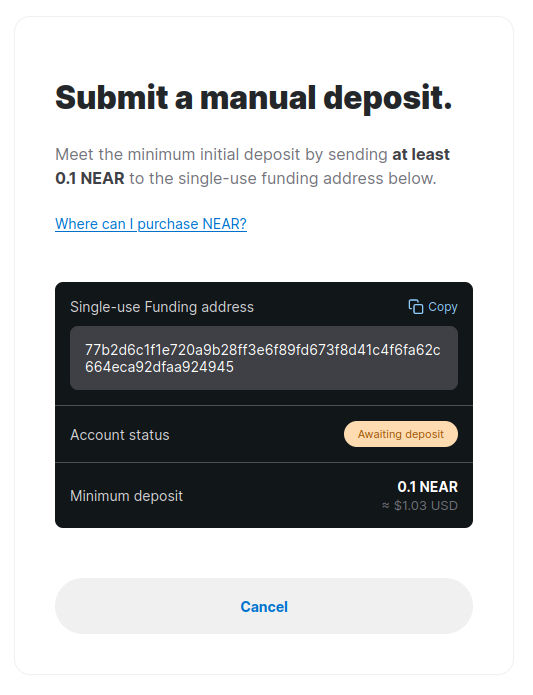
> * Copy this funding account address and **OPEN A NEW TAB** to fund the account. It is important to leave this page open while funding the account creation. If it accidentally gets closed, you can reconstruct the link by following this format: **wallet.near.org/fund-create-account/YOUR\_ACCOUNT.near/FUNDING\_ACCOUNT\_ADDRESS**

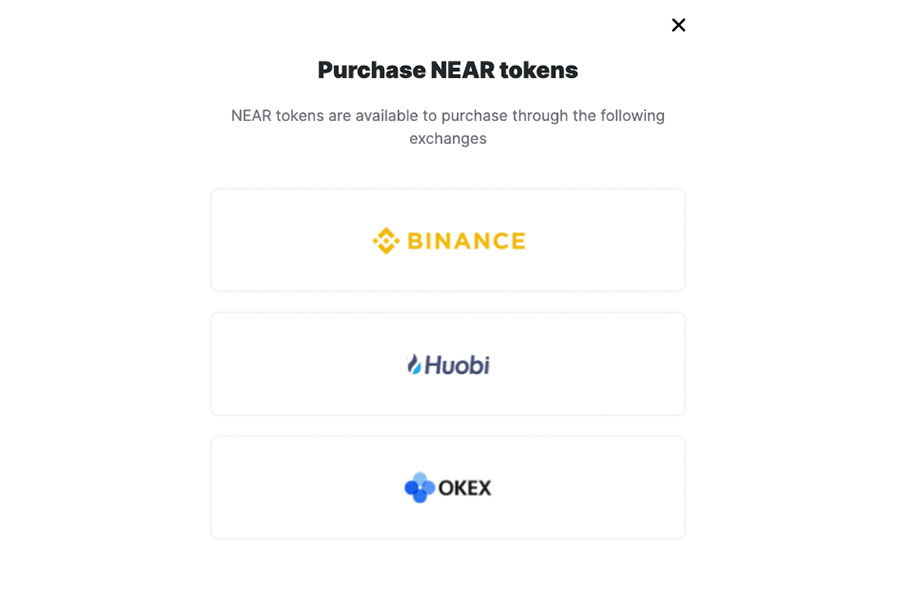
> * To fund the account, have an existing NEAR account send >= 1.1 Ⓝ to the funding account address, or click on "Where can I purchase NEAR" to go to an exchange and purchase some. You will then need to provide them with the funding account address.
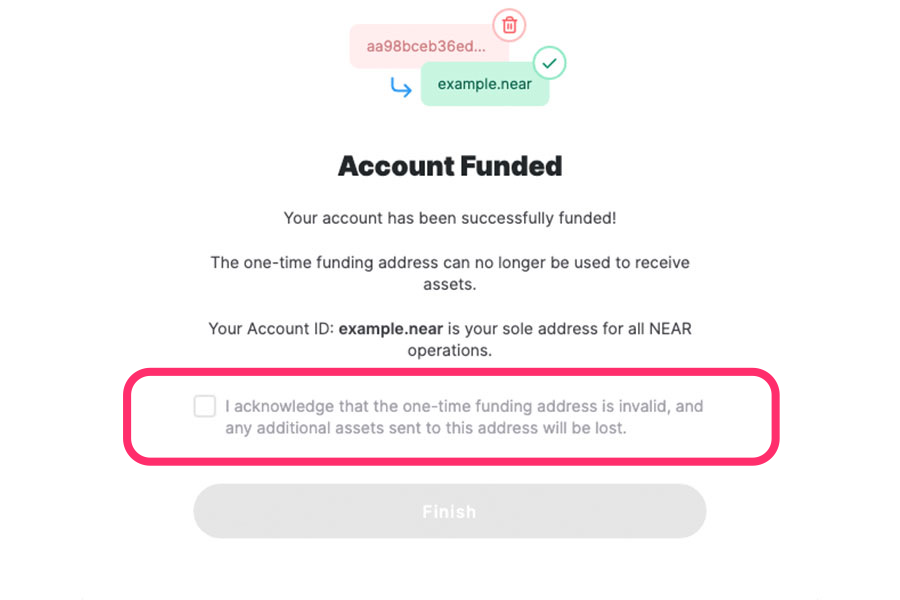
> * Once your account is funded, navigate back to the "Fund Your Account" tab you left open earlier. This page should be automatically updated notifying you that your account has been funded. To complete the process, check the box that acknowledges your one-time funding address will now be deleted and any further assets sent to this address will be lost.
> * If you are using a Ledger device, two pop-ups will appear: the first one asking you to sign the account creation transaction, and a second one to sign deletion of the one-time funding account address. This second [transaction](https://nomicon.io/RuntimeSpec/Actions.html#deleteaccountaction) will also transfer remaining funds in your one-time address to your new named account.
***
#### Success!
> * You have now created a NEAR account on `mainnet`!
## Buy The blooms
### Mint
The mint will live only on
### Secondary Marketplace
we will List on several different **Near Protocol** marketplace
* Paras:
* Few & Far:
* Apollo42: